
Match Emacs and GNOME light/dark theme
Light or dark? GNOME side
I like both, depending on how much light is in the room. I much prefer to set my desktop light or dark manually than to automate with timers.
On GNOME light or dark is color-scheme and you can set read and set it from the command line. You can read it from the command line (default light theme is called default)
$ gsettings get org.gnome.desktop.interface color-scheme | tr -d "'"
default
and you can set it from the command line (default dark theme is called prefer-dark)
$ gsettings set org.gnome.desktop.interface color-scheme prefer-dark
will change it to dark.
(You can also set other preferred GNOME themes this way.)
Light or dark? Emacs side
Protesilaos has published a gazillion pretty themes, but I prefer his modus-themes for their visual simplicity and also for their UI amenities. For example you can set one light theme (modus-operandi family) and one dark theme (modus-vivendi family) and toggle between them:
(setopt modus-themes-to-toggle '(modus-operandi-tinted modus-vivendi-tinted))
(bind-key "C-c m" #'modus-themes-toggle)
And there is the custom-variable custom-enabled-themes, usually set in your custom-file, that determines what themes are initially enabled.
(setopt custom-enabled-themes '(modus-operandi-tinted modus-vivendi-tinted))
The order of this list determines which theme is activated by default: the first one.
Matching Emacs to GNOME
But when I start Emacs, I want the startup theme to match the GNOME theme! So I took custom-enabled-themes out of the custom file and added these lines to early-init.el:
(defconst jeh/modus-themes-list
  (let* ((light 'modus-operandi-tinted)
         (dark 'modus-vivendi-tinted)
         (gnome-theme
          (car (split-string
                (shell-command-to-string
                 "gsettings get org.gnome.desktop.interface color-scheme | tr -d \"'\"")))))
    (cond ((string= gnome-theme "default")
           `(,light ,dark))
          ((string= gnome-theme "prefer-dark")
           `(,dark ,light))))
  "List of modus themes IN ORDER: first element is the default theme,
which depends on whether the GNOME color-scheme is light or dark.")

(setopt custom-enabled-themes  jeh/modus-themes-list)
(setopt modus-themes-to-toggle jeh/modus-themes-list)
Toggling them together
I wish I could remember from whom I stole this little bash script to toggle GNOME theme. Note the last line I added, which also toggles Emacs theme.
#!/usr/bin/env bash
class=org.gnome.desktop.interface
name=color-scheme
status=$(gsettings get "$class" "$name" | tr -d "'")
if [[ $status = "default" || $status = "prefer-light" ]]; then
    new_status="prefer-dark"
else
    new_status="default"
fi
gsettings set "$class" "$name" "$new_status"
emacsclient -e '(modus-themes-toggle)'
Save it to somewhere in your path (e.g. ~/bin/gnome-toggle-light-dark.sh) and chmod +x ~/bin/gnome-toggle-light-dark.sh. Test it from the command line.
The best part is that GNOME lets you bind a keyboard shortcut to a script:
Settings ⟶
    Keyboard ⟶
        View and Customize Shortcuts ⟶
            Custom Shortcuts ⟶
                + (add shortcut)
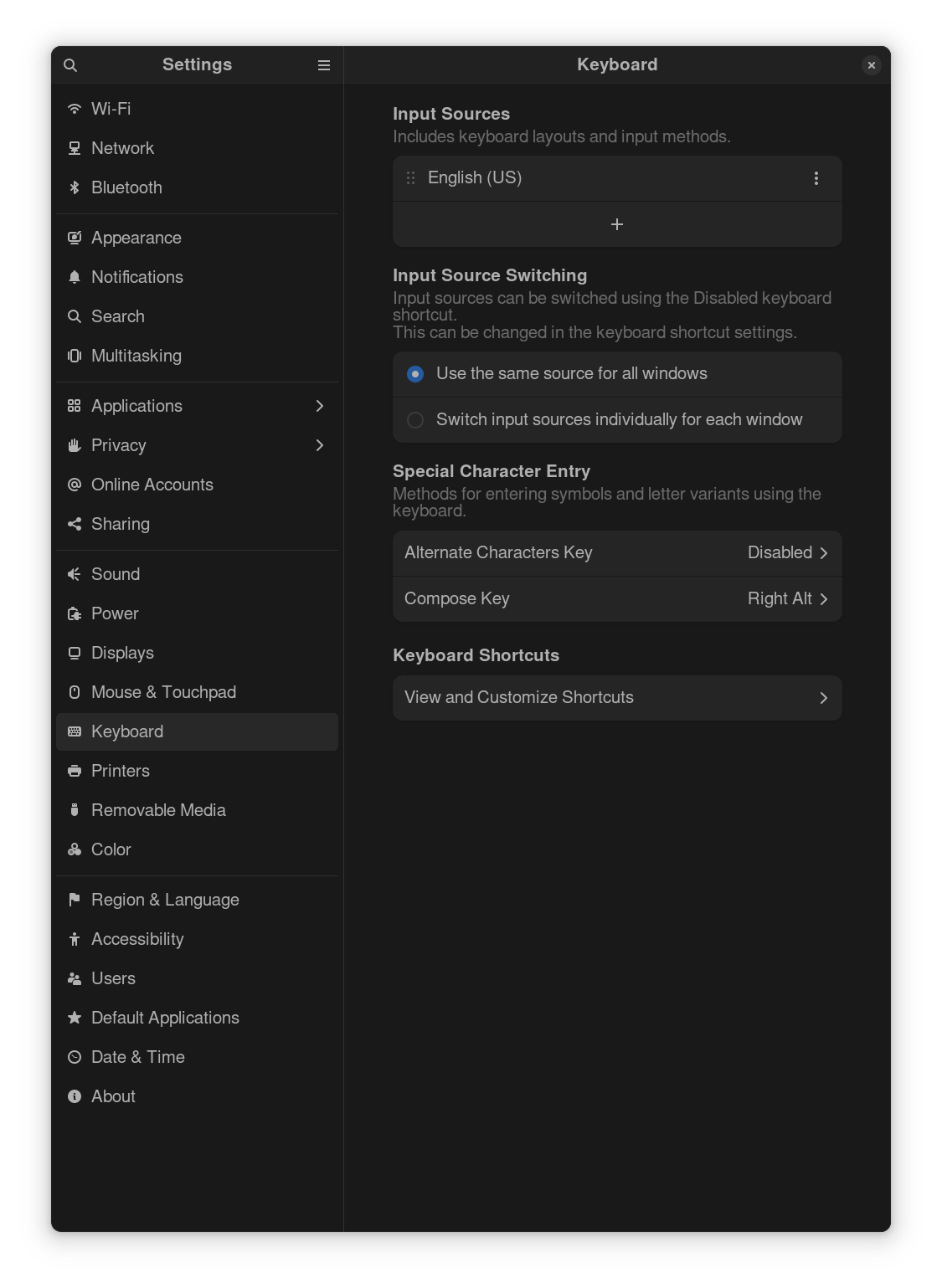
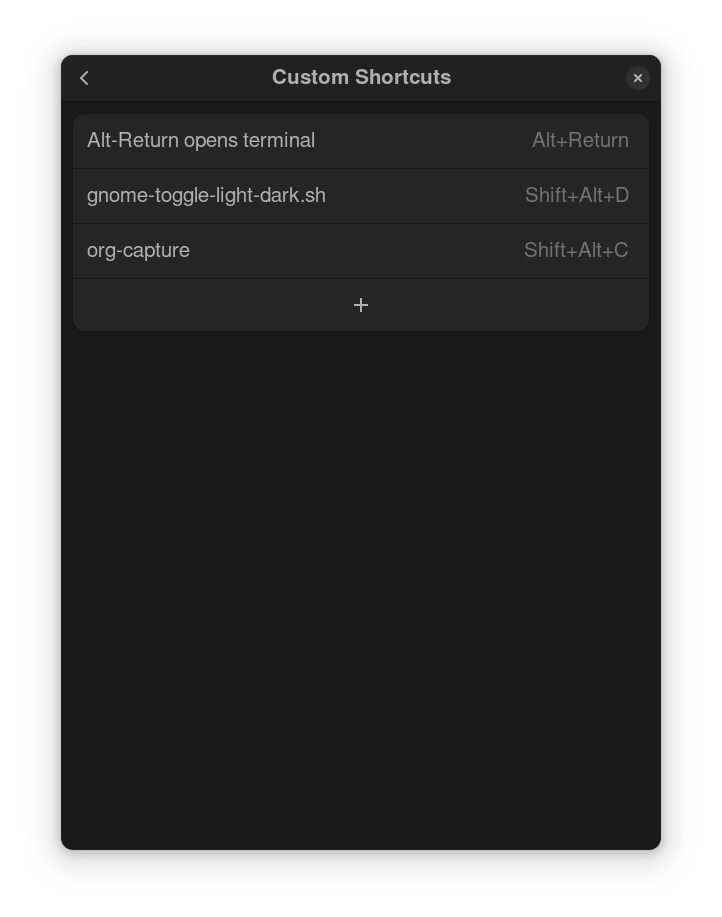
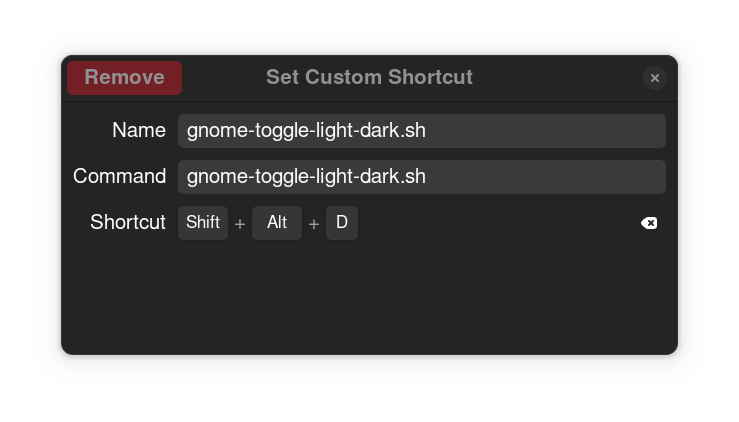
Now you can toggle GNOME and Emacs themes together as the sky determines your mood.
Comments